The email shows up a few weeks after your first campaign goes live. Someone from Google would like to review your account. The help is free, they say, because the account is new.
That word, free, is carrying a lot of weight.
The person offering it is not a support agent. They are in sales, and Google has said so in public. In January 2024, after advertisers complained about aggressive outreach, a Google spokesperson told Search Engine Land that the people making those calls work in sales and are paid partly on commission. Support, the group that actually fixes things, sits somewhere else.
So the call happens. You get 30 minutes. You hear about budget, broad match, and Performance Max. Then the rep moves on to the next account.
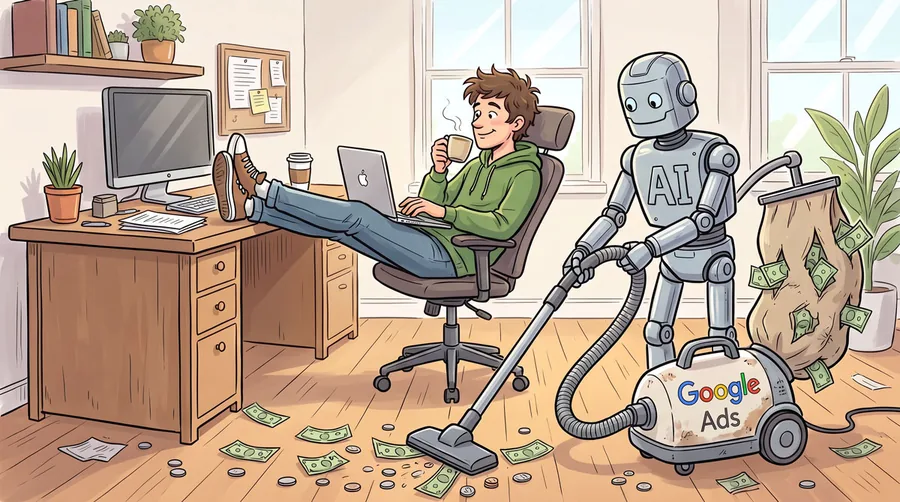
There is a better way to get a real Google Ads campaign audit. You can do it yourself, with AI, as often as you like, and you keep your hand on every change.
What the Free Review Is Actually For
Google's own help page for "free, personalized help from a Google Ads Expert" lists a toll-free number and describes help for advertisers who "don't have an account yet or are brand new." Read that again. The audience is people who have not spent much money yet.
The reps are assigned periodically and for a short stretch, usually around onboarding and scaling. That is why the name in your inbox keeps changing. There is no threshold you can request your way past. Google assigns a strategist or it does not.
None of this makes the rep a villain. Some are sharp, and a few will spot a real problem. Take the free advice when it is specific, then check it yourself before you act.
What you should not do is treat the call as an audit. An audit has a scope, evidence, and a list of findings you can test. A sales call has a quota.
What Real Help Costs
Google does not publish the spend level where a named strategist appears.
The number advertisers pass around is $6,000 a month. People who manage large books of accounts put it much higher, $25,000 to $50,000 a month. Google's own Partner program asks an agency for only $10,000 in spend across 90 days, spread over every client it manages, which tells you how low that bar sits.
To be honest, most of my clients are not running campaigns with budgets over $10,000 a month. Most are well under that. Under $10,000, all I have ever gotten from Google is a rotating rep. At best they were informative. At worst they were more frustration than help.
What a Google Ads Campaign Audit With AI Looks Like
An AI review works on the same data a strategist would use. You just have to hand it over.
The simple version. Download the CSV files from Reports in Google Ads. Search terms, campaigns, keywords, change history. Do the same in GA4.
The connected version. Google publishes an MCP server that lets an AI client query live account data. Google's documentation says it is read-only in the current release and "cannot modify bids, pause campaigns, or create new assets." There is a Google Analytics server too, also read-only in its documented setup.
Either way, the briefing matters more than the tool. An AI that does not know your business will give you the same generic advice you got on the phone.
Tell it:
- what you sell, and what it costs
- your rough gross margin
- what one order or one lead is worth to you
- what you can actually fulfill this month
- who must never see the ad, such as existing customers or other states
- your target cost per acquisition
- how long your buyer usually takes to decide
Then ask for something specific. "How is my account doing" gets you a paragraph of nothing. This gets you a work list:
Audit this Google Ads account against the data provided.
1. Search terms report: group wasted spend by theme, with cost per theme.
2. Campaigns that missed target cost per conversion for 3 straight months.
3. Keywords with more than 50 clicks and no conversions.
4. Ad copy gaps against the 3 highest volume search terms per group.
5. Conversion tracking: does any action fire more than once per order?
6. Budget pacing against the last 90 days.
Rank the changes by expected impact, cheapest first.
For each one: what to change, why, and how I verify it worked in 30 days.
That prompt is the whole trick. Specific asks, specific answers, and a list you can act on Monday.
Pull In GA4 and the Picture Gets Clearer
Google Ads tells you what you paid for. GA4 tells you what happened after the click.
Sessions that bounced on the product page. Add to cart rate. Checkout drop off. Which campaigns bring people who stay 4 minutes, and which bring people who leave in 6 seconds. If your Shopify store sends purchase events to GA4, you can put paid revenue next to paid cost and stop guessing.
Two warnings before you trust any of it.
First, a conversion is not a conversion. If the account counts a page view or a newsletter signup as a conversion, the AI will happily optimize toward more of those. You told it to. Fix the tracking before you fix the bidding.
Second, GA4 and Shopify will disagree about attribution. They always do. Pick one number, write down which one you used, and stop reconciling them every month.
AI Will Not Take Over Your Account
This is the fear, and it is a fair one.
Google's Ads MCP server cannot change a bid or pause a campaign. That is the documented current release, not my opinion. If you work from CSV exports, the AI has no access to the account at all. It has a file and an opinion.
Even where write access exists, use the two step version. Ask for the change, read the proposal, approve it. Google's connector has a propose and confirm step for exactly this reason.
Or skip the connection and have the AI walk you through the clicks. "Open the campaign, go to Settings, change the bid strategy." You make the change. You see where it lives. Next time you do not need the walkthrough.
Keep a log. Date, change, reason, and the metric you expect to move. In 30 days you will have something no rep has ever given you.
Where AI Gets It Wrong
It will sound certain and be wrong.
It will recommend broad match because a blog post said broad match is good, without knowing your product is a $2,400 house plan that people research for 4 months. It does not know that Tuesday's form fill was a competitor. It cannot see your inventory, your install crew, or the fact that you are closed for 2 weeks in July.
Tell it those things. Then ask it what it does not know, and fix that too.
It also cannot unsuspend an account or fix a billing error. That is what the free support line is genuinely good at. Save the 30 minutes for that.
Start With the Search Terms Report
If you only do one thing this week, download your search terms report and ask the AI to group the wasted spend by theme. Most accounts have money leaking in 2 or 3 obvious places. It takes 10 minutes to find them once the data is in front of something that will read all of it.
The rep has a quota. Your AI does not.
Written by Dana Lee Gibson. Shopify development, speed, and technical SEO.
More posts